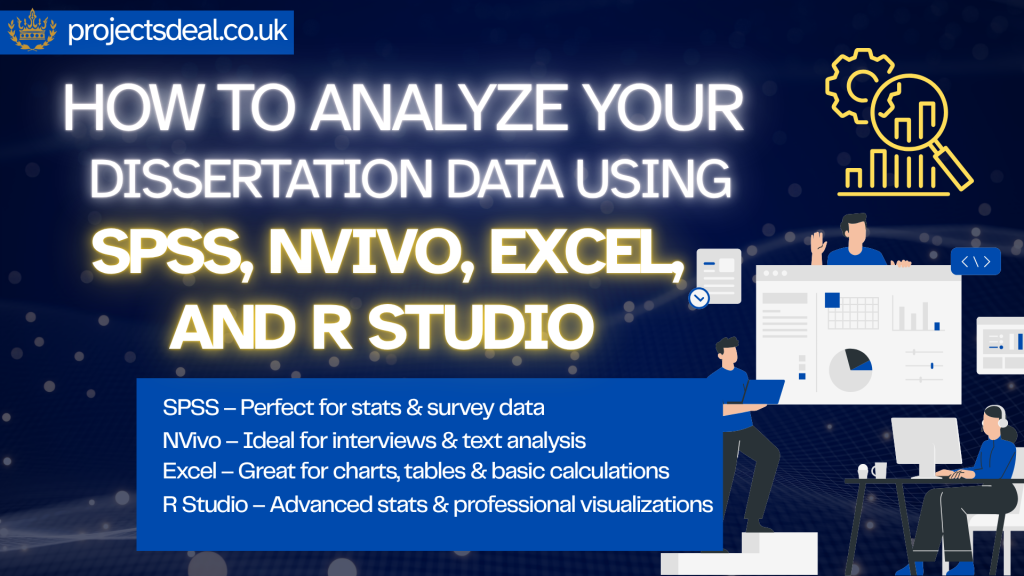

Dissertation data analysis: spss, NVivo, Excel, and R Studio are the four most widely used software tools in UK university dissertation research in 2026, each suited to different data types, research methodologies, and analytical goals. Selecting the correct data analysis approach — and the right software to execute it — is one of the most technically challenging aspects of completing a high-quality dissertation at UK institutions including the University of Manchester, King’s College London, UCL, and the University of Leeds. This comprehensive guide provides practical, step-by-step guidance on using each tool effectively, helping UK students make confident, methodologically sound decisions about their data analysis strategy.
Step-by-Step Dissertation Data Analysis: A Practical UK Student Guide
Data analysis is the stage in your dissertation where the evidence you have collected is transformed into findings that answer your research question. Many students find this stage one of the most daunting, particularly if it involves statistical software or qualitative coding. This guide provides a practical, step-by-step walkthrough of the data analysis process for both quantitative and qualitative dissertations, with specific guidance on using the software tools most commonly found in UK university programmes: SPSS, NVivo, Excel, and R.
Before You Begin: Preparing Your Data
Before any analysis can begin, your data must be properly prepared and organised. This stage is often underestimated but is critically important for the accuracy of your results.
For quantitative data: Create a clean dataset in which each row represents one participant or case and each column represents one variable. Code all categorical variables numerically (e.g., gender: 1 = Male, 2 = Female, 3 = Other) and record your coding scheme carefully in a code book or data dictionary. Remove duplicate entries and check for impossible or implausible values (e.g., an age of 250 or a negative score on a 1–7 scale) — these are data entry errors that must be corrected or excluded.
For qualitative data: Ensure all interview recordings are transcribed accurately. Transcripts should include verbatim speech, pauses (where relevant), and non-verbal expressions if captured in your notes. Anonymise all identifying information (names, organisations, locations) before analysis begins, using pseudonyms or codes consistently.
Quantitative Analysis Step by Step: Using SPSS
Step 1: Import your data into SPSS. You can enter data directly in the Data View or import from Excel (File → Import Data → Excel). Once imported, switch to Variable View to define each variable: name, data type, value labels (for categorical variables), and measurement level (nominal, ordinal, or scale).
Step 2: Run descriptive statistics. Go to Analyze → Descriptive Statistics → Descriptives (for continuous variables) or Analyze → Descriptive Statistics → Frequencies (for categorical variables). Report means, standard deviations, minimum, and maximum values in a clearly labelled table.
Step 3: Check your data assumptions. Before running inferential tests, check whether your data meets the assumptions of the test you plan to use. For parametric tests (t-test, ANOVA, regression), check for normality using the Shapiro-Wilk test (Analyze → Explore) and assess outliers using boxplots. For correlation analysis, create scatterplots to check for linear relationships.
Step 4: Run your inferential tests. Navigate to Analyze and select the appropriate test:
Independent samples t-test: Analyze → Compare Means → Independent-Samples T Test.
Paired samples t-test: Analyze → Compare Means → Paired-Samples T Test.
One-way ANOVA: Analyze → Compare Means → One-Way ANOVA (with Tukey post-hoc test).
Pearson correlation: Analyze → Correlate → Bivariate.
Multiple regression: Analyze → Regression → Linear.
Chi-square: Analyze → Descriptive Statistics → Crosstabs (with Chi-Square under Statistics).
Step 5: Interpret and report your results. Report results in the format required by your referencing style. For APA/Harvard: t(df) = value, p = value, d = effect size. Always report effect sizes (Cohen’s d for t-tests, η² for ANOVA, r for correlation, R² for regression) alongside p-values. Statistical significance tells you whether an effect is likely to be real; effect size tells you how large it is.
Qualitative Analysis Step by Step: Using NVivo
Step 1: Set up your NVivo project. Create a new project file and import your data sources (Word transcripts, PDF documents, audio files with transcripts). Organise your sources into folders by participant type, interview number, or data collection date.
Step 2: Familiarise yourself with your data. Read all transcripts in full before beginning to code. Make notes and initial observations in NVivo’s memo function. This immersion in the data is the foundation of rigorous qualitative analysis.
Step 3: Generate initial codes. Open each transcript and begin coding: highlight a text segment, right-click, and create a new node (code). In reflexive thematic analysis (Braun and Clarke), this initial coding should be inductive — codes emerge from the data rather than being imposed from a pre-existing framework. Code broadly and generously at this stage.
Step 4: Search for patterns and develop themes. Review your nodes in the Node Explorer. Group related codes together into potential themes. A theme is a pattern of shared meaning that captures something important about the data in relation to your research question. Use NVivo’s Matrix Coding Query and Word Frequency Query to support your search for patterns across the dataset.
Step 5: Review and refine themes. Check each theme against the entire dataset to ensure it is coherent internally and distinct from other themes. Some initial codes or sub-codes will be merged, split, or discarded at this stage. Write analytic memos for each theme explaining what it captures and how it relates to the research question.
Step 6: Define and name your themes. Write a clear definition for each theme and give it a name that captures its conceptual essence. The name should reflect the meaning of the theme, not merely describe its content.
Step 7: Write up your analysis. In the results chapter, present each theme with its definition, a discussion of the patterns it captures, and illustrative quotations from participants. Select quotations that are representative, vivid, and clearly connected to the theme’s meaning.
Using R for Advanced Quantitative Analysis
R is a free, open-source statistical computing environment that is increasingly used in UK universities, particularly in statistics, data science, psychology, and social sciences. For students comfortable with coding, R offers greater flexibility and transparency than SPSS.
Key R packages for dissertation analysis include: tidyverse (data manipulation and visualisation), psych (descriptive statistics and reliability analysis), car (ANOVA and regression diagnostics), lavaan (structural equation modelling), and lme4 (multilevel modelling). The RStudio interface makes R more accessible for beginners.
R produces fully reproducible analysis scripts, which is a significant advantage — you can re-run your entire analysis at any time, which supports transparency and error-checking. Many supervisors and examiners view R proficiency positively in dissertations.
Using Excel for Descriptive Analysis and Visualisation
Excel is the most universally accessible analysis tool and is appropriate for descriptive statistics and simple inferential tests at undergraduate level. Its greatest strength for dissertation students is in producing clear, well-formatted tables and charts for the results chapter:
Bar charts (for comparing groups on categorical data), line graphs (for trends over time), scatter plots (for visualising correlations), and box plots (for displaying distributions). All charts should have clearly labelled axes, a title, and a descriptive figure caption. Use a consistent, professional colour scheme and avoid cluttered or garish designs.
Frequently Asked Questions
How do I report statistical results in my dissertation?
Always report: the test statistic (t, F, χ², r), degrees of freedom, p-value, and effect size. In APA/Harvard format: t(28) = 2.34, p = .026, d = 0.87. Use exact p-values rather than “p < .05” wherever possible. All values should be reported to two decimal places as a general convention.
What is meant by statistical significance and why does it matter?
A result is statistically significant when the probability (p-value) of obtaining a result at least as extreme as the observed result, assuming the null hypothesis is true, falls below the predetermined significance threshold (typically α = .05). This means there is less than a 5% probability that the result occurred by chance. However, statistical significance alone is insufficient — always report effect sizes to indicate the practical magnitude of the finding.
How many participants do I need for my quantitative study?
Sample size should be determined by a power analysis, which calculates the minimum sample needed to detect an expected effect size with sufficient statistical power (conventionally 80% or above). G*Power is a free software tool widely used for power calculations. Without sufficient power, your study may fail to detect a real effect even when one exists.
How do I demonstrate the quality of my qualitative analysis?
Demonstrate rigour through: transparent description of your analytical process in the methodology chapter; member checking (sharing findings with participants for their response, where appropriate); reflexivity (acknowledging how your own background and assumptions may have influenced interpretation); and rich, thick description of findings with sufficient illustrative quotations to allow the reader to assess the credibility of your interpretations.
Related Study Guides
For further guidance, see our related articles: Dissertation Data Analysis: SPSS, NVivo & Excel, Dissertation Methodology: Choosing the Right Research Methods, The Four Primary Types of Research Methodology, and How to Write a Dissertation: Complete UK Guide.
Want one-to-one support with your dissertation? Explore our dissertation writing service — trusted by UK students since 2001.
⚠️ Common Mistakes in Dissertation Data Analysis: SPSS, NVivo & Tools (And How to Avoid Them)
One of the most common mistakes UK students make in dissertation data analysis: spss, NVivo, Excel, and R is selecting their analysis software before deciding on their methodology — rather than letting their research design determine the most appropriate tool. SPSS is ideal for quantitative analysis of survey data, experimental results, and structured datasets. NVivo is specifically designed for qualitative data analysis including interview transcripts, focus group recordings, and documentary analysis. R and Python are optimal for complex statistical modelling, large datasets, and machine learning applications. Excel is suitable for basic descriptive statistics and data visualisation but lacks the statistical depth required for advanced inferential analysis. Beginning with software selection rather than methodology creates fundamental misalignments that undermine the integrity of your analysis.
Conducting statistical analysis in SPSS without verifying the assumptions underlying your chosen tests is a second critical error that causes dissertation marks to fall dramatically. The Quality Assurance Agency for Higher Education specifies that UK dissertations must demonstrate methodological rigour and transparency in analysis procedures. For parametric tests — including t-tests, ANOVA, Pearson correlation, and multiple regression — you must first verify normality (using Shapiro-Wilk or Kolmogorov-Smirnov tests), homogeneity of variance (Levene’s test), and absence of significant outliers. Students who skip assumption testing and proceed directly to significance testing produce results that examiners immediately identify as methodologically inadequate, regardless of the statistical outcomes.
For qualitative NVivo analysis, failing to establish and document a systematic coding framework is the most significant methodological error. The Office for Students emphasises that academic integrity in qualitative research requires transparency about analytical processes. Your NVivo coding framework should be developed systematically — using either inductive thematic analysis (deriving codes from the data itself) or deductive coding (applying theoretical or conceptual frameworks from the literature). All coding decisions should be recorded in a reflexivity journal and, where possible, verified through inter-rater reliability testing with a second independent coder, as recommended by thematic analysis guidance from Braun and Clarke (2006) and applied across UK social science, nursing, and education research.
A fourth major mistake involves misinterpreting statistical significance as practical significance. Students regularly report p-values below 0.05 as evidence of important findings without calculating effect sizes — Cohen’s d for mean differences, r for correlations, eta squared for ANOVA results, or odds ratios for logistic regression. UK dissertation examiners consistently require both statistical significance AND effect size reporting to assess the practical importance of research findings. SPSS automatically calculates many effect size measures if you know where to find them: partial eta squared in ANOVA outputs, R-squared in regression outputs, and Phi or Cramér’s V in chi-square cross-tabulations. Including effect size calculations in your results chapter signals methodological sophistication that distinguishes merit and distinction-level dissertations from passing-grade work.
💡 Expert Tips for Dissertation Data Analysis: SPSS, NVivo & R (2026)
For quantitative dissertation data analysis: spss using survey data, the recommended analysis sequence is: first conduct descriptive statistics (frequencies, means, standard deviations) to understand your dataset’s basic properties; second, check all test assumptions (normality, outliers, multicollinearity); third, conduct your primary inferential analyses (t-tests, ANOVA, correlation, regression); and fourth, calculate effect sizes for all significant findings. When reporting SPSS results in your dissertation, always present exact p-values (e.g., p = .023) rather than just stating “p < .05,” include confidence intervals for mean estimates, and use APA 7th edition format for statistical notation — the standard used at most UK universities including Birmingham, Bristol, and Durham.
For qualitative NVivo analysis, the six-phase thematic analysis approach developed by Braun and Clarke provides the most widely accepted framework for UK dissertations in social sciences, nursing, education, and psychology. Phase 1 involves familiarisation with your data through multiple reading and note-making. Phase 2 involves generating initial codes systematically across all transcripts. Phase 3 involves searching for themes by grouping related codes. Phase 4 involves reviewing and refining themes against the dataset. Phase 5 involves defining and naming themes with clear, specific labels. Phase 6 involves producing your findings narrative, weaving together your themes with illustrative quotes and theoretical connections. NVivo’s tree node structure perfectly supports this six-phase framework, allowing you to create, merge, rename, and reorganise nodes as your analysis develops.
For mixed-methods dissertations combining SPSS quantitative analysis with NVivo qualitative analysis, UK academics recommend using an explanatory sequential design: collect and analyse your quantitative data first using SPSS, identify findings that require deeper exploration, then design your qualitative data collection to specifically probe and explain the quantitative results. This approach — used extensively in health services research, social work, and management studies at UK universities — allows your quantitative and qualitative findings to genuinely complement and enrich each other, rather than simply existing side by side in separate chapters. Integration of quantitative and qualitative findings in your discussion chapter is where the highest marks in mixed-methods dissertations are typically awarded.
UK students learning SPSS, NVivo, or R for dissertation analysis should take advantage of the extensive free training resources available through their university library services. Most Russell Group and post-1992 universities offer free workshop series on SPSS for survey analysis, NVivo for qualitative coding, and R for advanced statistical modelling. The SAGE Research Methods database — available through most UK university library portals — provides comprehensive video tutorials, step-by-step guides, and worked examples for all major data analysis approaches. IBM’s SPSS official YouTube channel provides free tutorial videos for every major analysis procedure. Investing four to eight hours in systematic software training before beginning your analysis saves significantly more time than struggling with trial-and-error learning during the analysis phase itself.
🏫 Dissertation Data Analysis Support: Trusted by UK Students Since 2001
Since 2001, ProjectsDeal has supported over 20,000 UK students with every aspect of dissertation data analysis: spss, NVivo, Excel, R, and advanced statistical methods. Our team of 200+ PhD specialists includes dedicated quantitative researchers, qualitative analysts, and mixed-methods experts with deep experience in all major dissertation analysis tools used at UK universities. Whether you need help with SPSS output interpretation, NVivo thematic coding, R script development, or complete statistical analysis chapters, our specialists deliver technically rigorous, academically sound analysis that meets the exacting standards of UK dissertation examination boards. With over 45,000 verified student reviews, our data analysis support service is the most trusted in UK higher education.
Our dissertation data analysis support covers everything from initial data cleaning and assumption testing through to full results chapter writing, statistical tables, figures, and APA-formatted appendices. We provide clear explanations of all analytical procedures and findings, ensuring your methodology and results chapters demonstrate the depth of understanding that examiners look for at distinction level. All our analysis work is original, Turnitin-verified, and tailored to your specific research design, data type, and university requirements. For comprehensive guidance on every stage of your dissertation journey, explore our expert dissertation writing guide and discover how our analysis specialists can help you achieve your best possible dissertation mark.
Need Expert Academic Help?
ProjectsDeal provides trusted dissertation, thesis, and essay writing support for UK university students. Get matched with a specialist in your subject area.